

安装Workerman(当前使用的是4.1.17)
composer install{
"require": {
"workerman/workerman": "^4.0"
}
}

创建启动文件start.php
<?php

use Workerman\Worker;
use Workerman\Connection\TcpConnection;
use Workerman\Protocols\Http\Request;
use Workerman\Timer;

require_once __DIR__ . '/vendor/autoload.php';

// 创建一个Worker监听2345端口,使用http协议通讯
$http_worker = new Worker("websocket://0.0.0.0:9090");

// 启动4个进程对外提供服务
$http_worker->count = 4;
$http_worker->uidConnections = array();
// 接收到浏览器发送的数据时回复hello world给浏览器
//$http_worker->onMessage = function(TcpConnection $connection, Request $request)
$http_worker->onMessage = function ($connection,  $request) use ($http_worker) {
     //print_r($connection);
    // foreach ($http_worker->connections as $connection) {

    //     $connection->send($request);
    // }
    // global $http_worker;
    // 判断当前客户端是否已经验证,既是否设置了uid
    if (!isset($connection->uid)) {
        // 没验证的话把第一个包当做uid(这里为了方便演示,没做真正的验证)
        $connection->uid = $request;
        /* 保存uid到connection的映射,这样可以方便的通过uid查找connection,
        * 实现针对特定uid推送数据
        */
        print_r($connection->uid . '\n');

        $http_worker->uidConnections[$connection->uid] = $connection;
        return;
    }
    sendMessageByUid($http_worker, 'uid1', 'hello world' . time());
    // 向浏览器发送hello world
    //$connection->send('hello world'.time());
};
// 进程启动时设置一个定时器,定时向所有客户端连接发送数据
// 当有客户端连接断开时
$http_worker->onClose = function ($connection) {
    if (isset($connection->uid)) {
        // 连接断开时删除映射
        print_r('有用户断开:' . $connection->uid . '!');
        unset($http_worker->uidConnections[$connection->uid]);
    }
};

// 针对uid推送数据
function sendMessageByUid($worker, $uid, $message)
{
    // print_r($worker->uidConnections);
    if (isset($worker->uidConnections[$uid])) {
        //print_r($worker->uidConnections[$uid] . ',发送个指定用户\n');
        $connection1 = $worker->uidConnections[$uid];
        $connection1->send($message);
        return true;
    }
    print_r('没触发');
    return false;
}
// 运行worker//console.log('连接设备:'+JSON.stringify(event.currentTarget.dataset),1) app.globalData.bluetooth_address;
Worker::runAll();
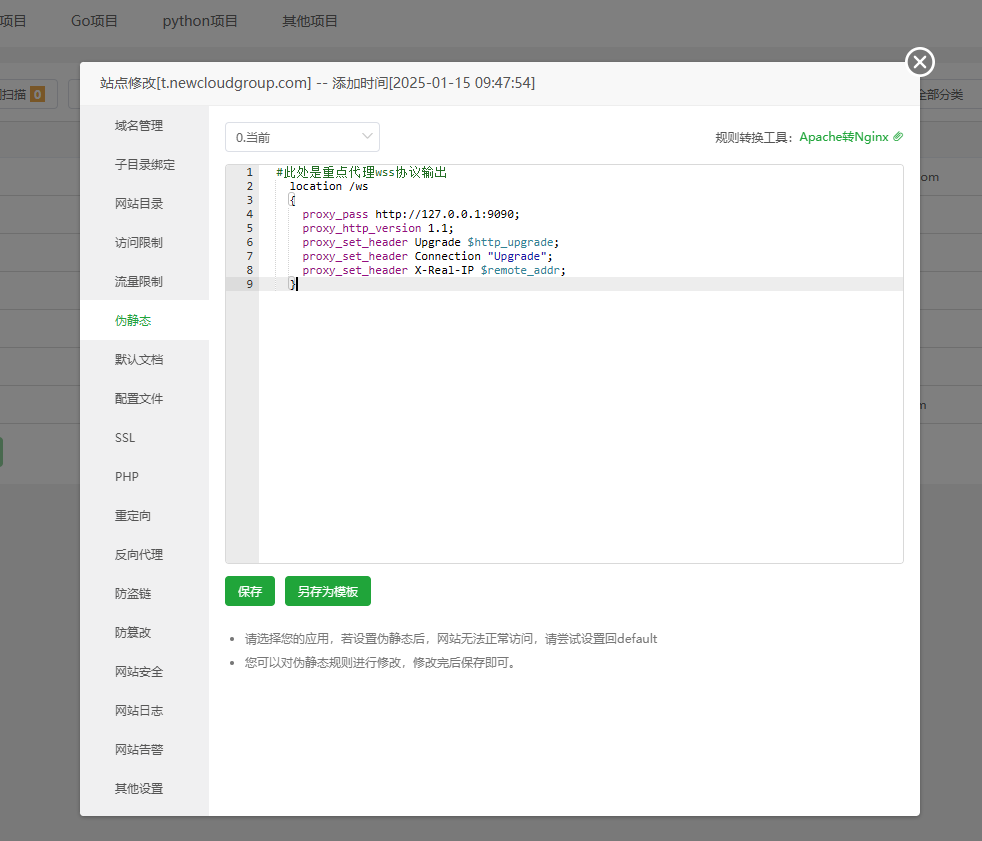
配置nginx代理
 #此处是重点代理wss协议输出
    location /ws
    {
      proxy_pass http://127.0.0.1:9090;
      proxy_http_version 1.1;
      proxy_set_header Upgrade $http_upgrade;
      proxy_set_header Connection "Upgrade";
      proxy_set_header X-Real-IP $remote_addr;
} #此处是重点代理wss协议输出
location /wss
{
proxy_pass http://127.0.0.1:9090;
proxy_http_version 1.1;
proxy_set_header Upgrade $http_upgrade;
proxy_set_header Connection "Upgrade";
proxy_set_header X-Real-IP $remote_addr;
}
启动Workerman
php start.php start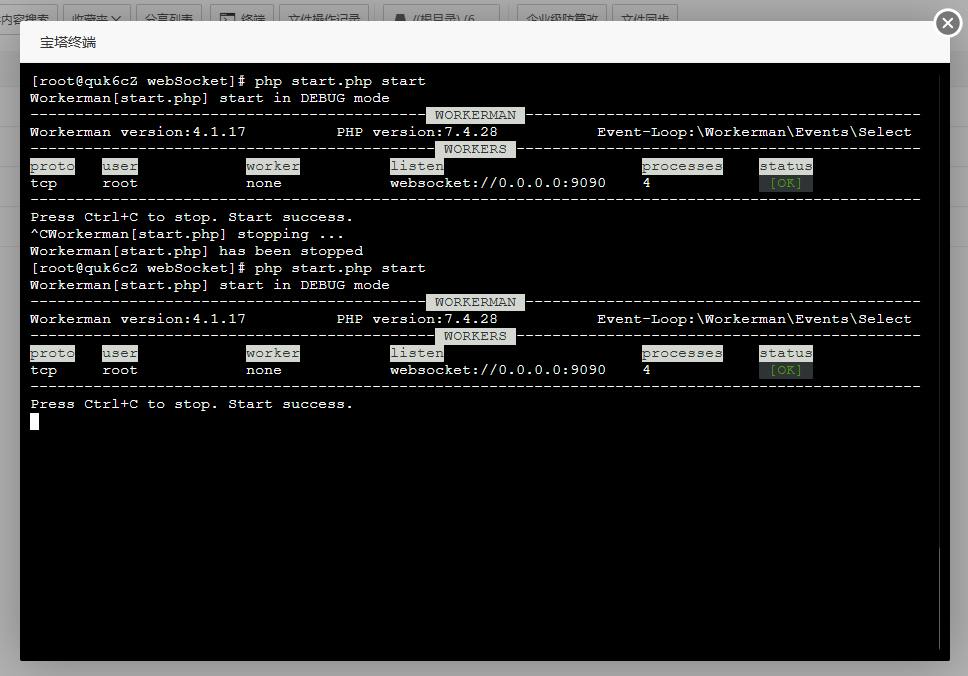
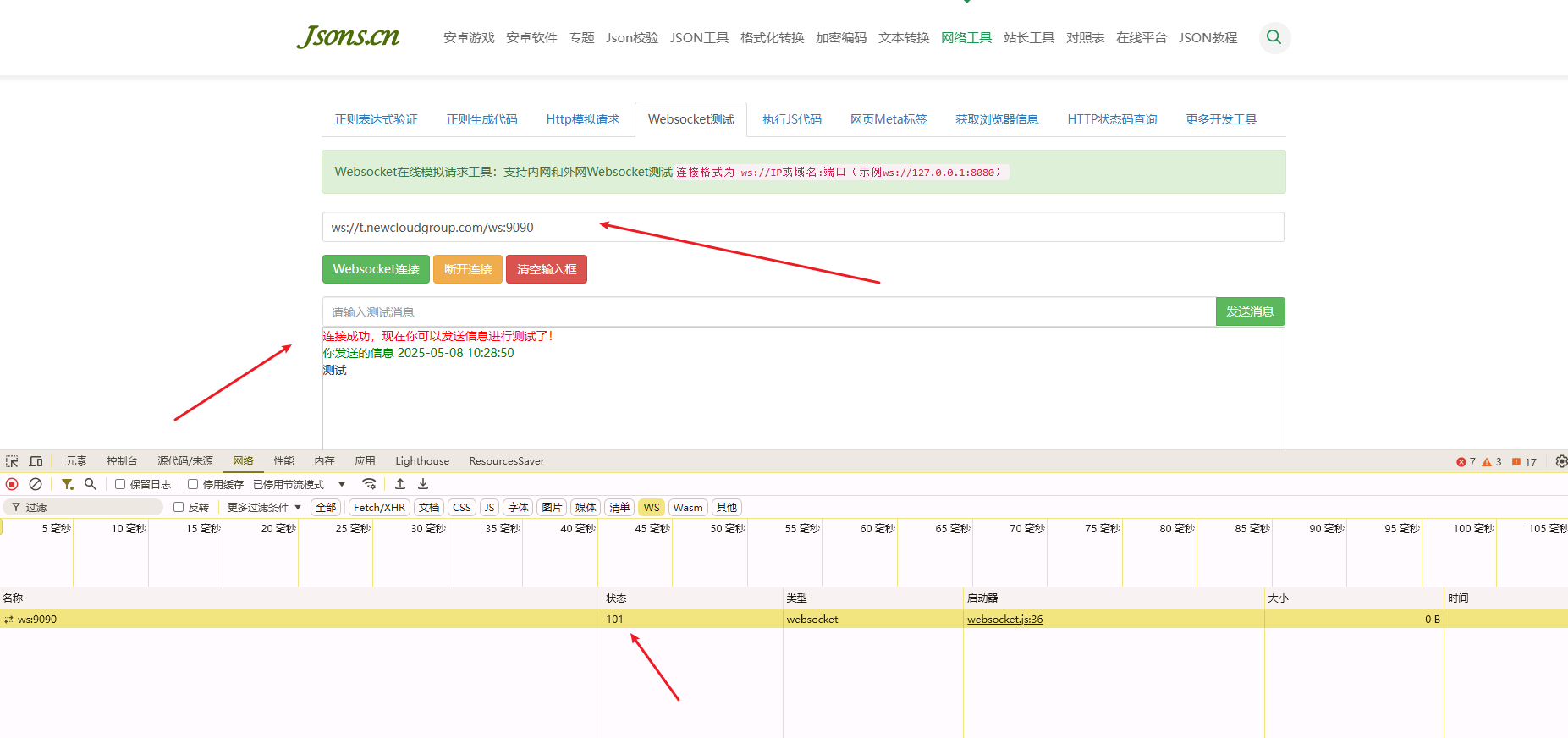
测试连接收发数据
打开:http://www.jsons.cn/websocket/#
Demo文件下载